 Music Tools for Windows
 Music Tools for Mac


Core Concept: Kindle ebooks are stored in the cloud after purchase. To read them offline, you must first download them to your device when connected to the internet.
Can I Read Kindle Ebooks Offline?
Yes, you can read Kindle ebooks offline, but they must be downloaded to your device first.
How Kindle Ebook Storage & Download Works?
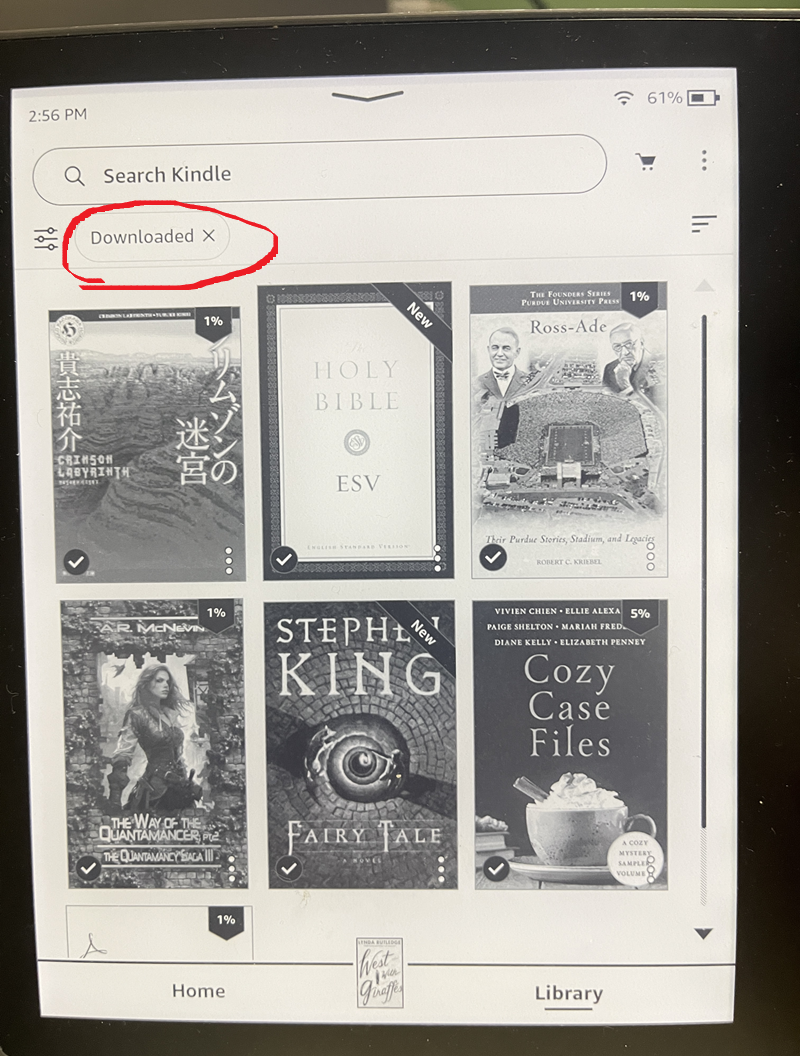
Typically, the Kindle ebooks you purchase are stored in the cloud. When you tap the ebook's cover image in the Kindle app or on a Kindle device, the ebook downloads to your device. Once the download is complete, the ebook will appear under the "Downloaded" tab, allowing you to read it offline even without an internet connection.
How to Identify a Downloaded Kindle Ebook?
Look for the "Downloaded" section in your library. Ebooks listed here are stored locally on your device.
What If I Want to Download an Ebook Without Wi-Fi?
If you're going out for an extended period and want to download a new book, here are three solutions.
Solution 1: Use Free Wi-Fi
Many public places like cafes, libraries, and airports offer free Wi-Fi. Connect your device to these networks to download your ebooks.
You typically need to enter a password or agree to terms to connect. "Free Wi-Fi" refers to complimentary internet access at these locations.
Solution 2: Use a Kindle with Free Cellular Connectivity
Some Kindle models have built-in Wi-Fi + Free 3G/4G. They can connect to the internet and download books without needing a Wi-Fi hotspot or phone tethering.
Currently, Amazon has phased out cellular connectivity for its latest Kindle generations.
To get a Kindle with cellular support, you generally need to look at older generations, specifically those that support 4G LTE, as the older 3G networks have been shut down globally. The most recent model to offer a cellular option was the Kindle Oasis (10th Generation), released in 2019. Newer models, including the latest Kindle Paperwhite (12th Gen) and the Kindle Scribe, are Wi-Fi only.
4G LTE Compatible Models:
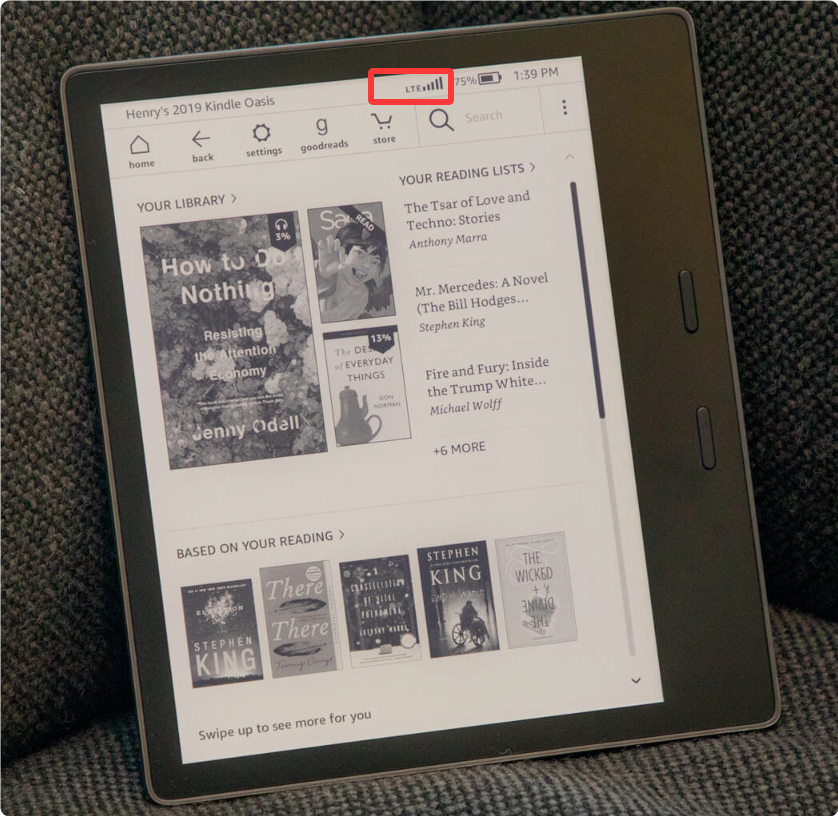
Another thing I should mention is that Models with cellular connectivity typically cost more, with historical differences being approximately 70 higher than their Wi-Fi-only counterparts.
If you have a kindle but don't its model. Just read which kindle model do I have?
Solution 3: Use Tethering / Mobile Hotspot
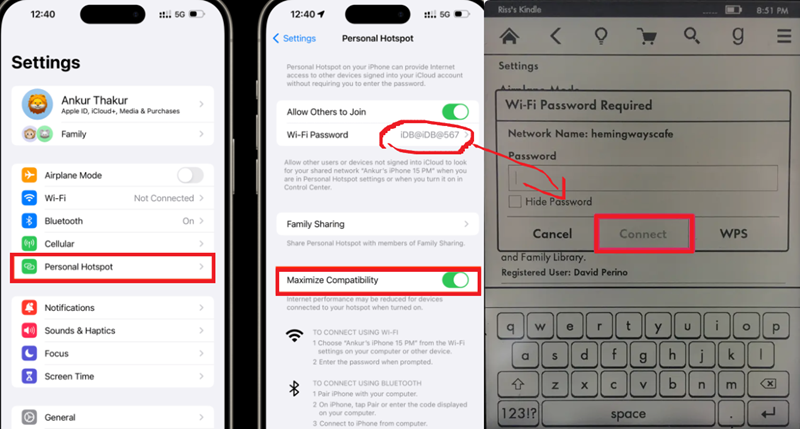
Share your smartphone's mobile data connection with your Kindle. On iPhone, use "Personal Hotspot"; on Android, use "Mobile Hotspot" or "Tethering".
Use data cautiously. Large books (like image-heavy comics or textbooks) consume significant data. Typical novels and commercial books use minimal data.
Final Thoughts
Kindle is very convenient, and if you download purchased ebooks from the Kindle Store to your device in advance, you can enjoy your entire library anywhere, anytime.


